Slack
Post deployment notifications to a Slack channel.
Setup
- Create a Slack app and Incoming Webhook.
- Add
VORTEX_NOTIFY_SLACK_WEBHOOKto your hosting provider's environment variables.
Environment variables
| Variable | Required | Default | Location | Description |
|---|---|---|---|---|
VORTEX_NOTIFY_SLACK_WEBHOOK | Yes | Hosting | Slack webhook URL | |
VORTEX_NOTIFY_SLACK_PROJECT | No | VORTEX_NOTIFY_PROJECT | .env | Project name |
VORTEX_NOTIFY_SLACK_MESSAGE | No | Default template | .env | Fallback text template |
VORTEX_NOTIFY_SLACK_CHANNEL | No | .env | Target channel (overrides webhook default) | |
VORTEX_NOTIFY_SLACK_USERNAME | No | Deployment Bot | .env | Bot display name |
VORTEX_NOTIFY_SLACK_ICON_EMOJI | No | :rocket: | .env | Bot icon emoji |
VORTEX_NOTIFY_SLACK_BRANCHES | No | .env | Restrict to specific branches (comma-separated) |
Event behavior
Slack notifications are sent for both pre_deployment and post_deployment events:
- Pre-deployment: Gray color with "Deployment Starting" status
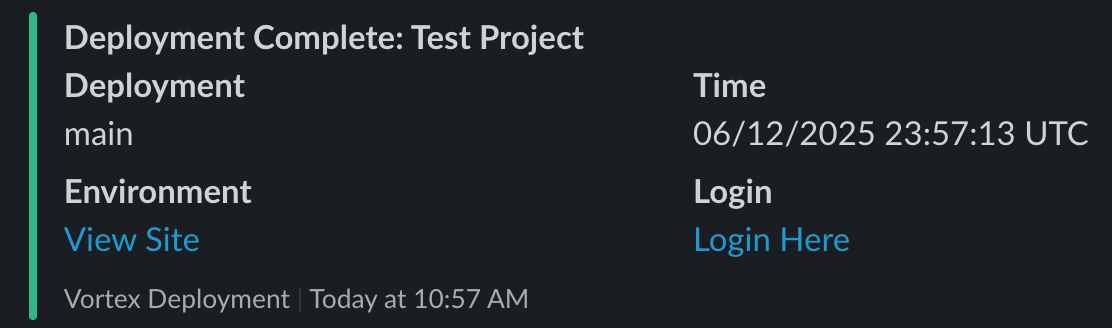
- Post-deployment: Green color with "Deployment Complete" status
Example